
Assembling Procedures for TCG Runner
Assembling Procedures for TCG Runner
1. Rack Cleaning
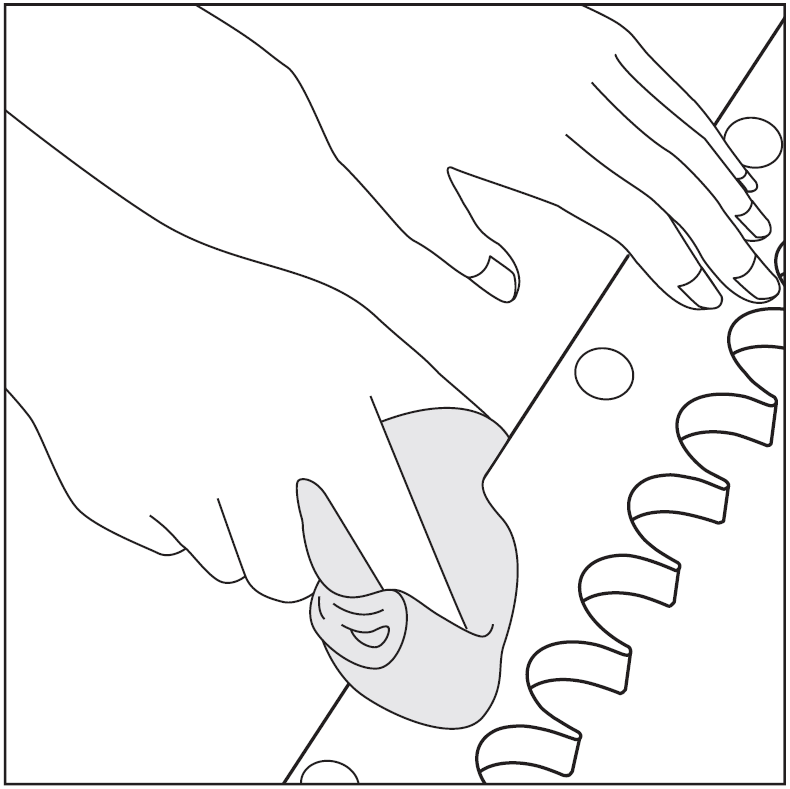
Wipe off the rust-preventive oil and any foreign matter attached to the rack.
2. Rack Installation
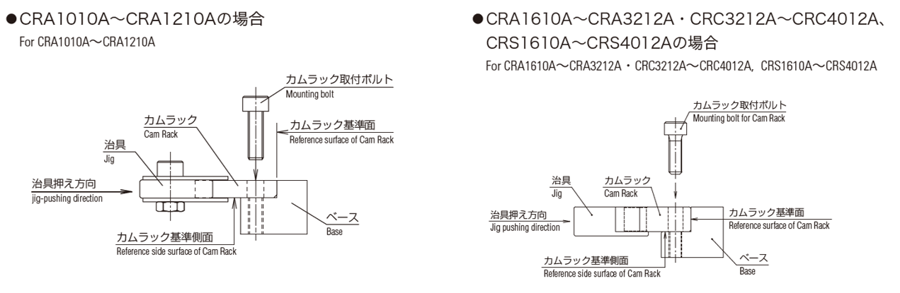
Place the first rack on the base and tighten the mounting bolts so that the rack can still move slightly.
Using a clamp or similar tool, press the reference bottom surface of the rack firmly against the base and temporarily tighten the bolts.
Recommended temporary tightening torque: approximately 50% of the specified tightening torque.
3. Check parallelism between linear guide and Rack
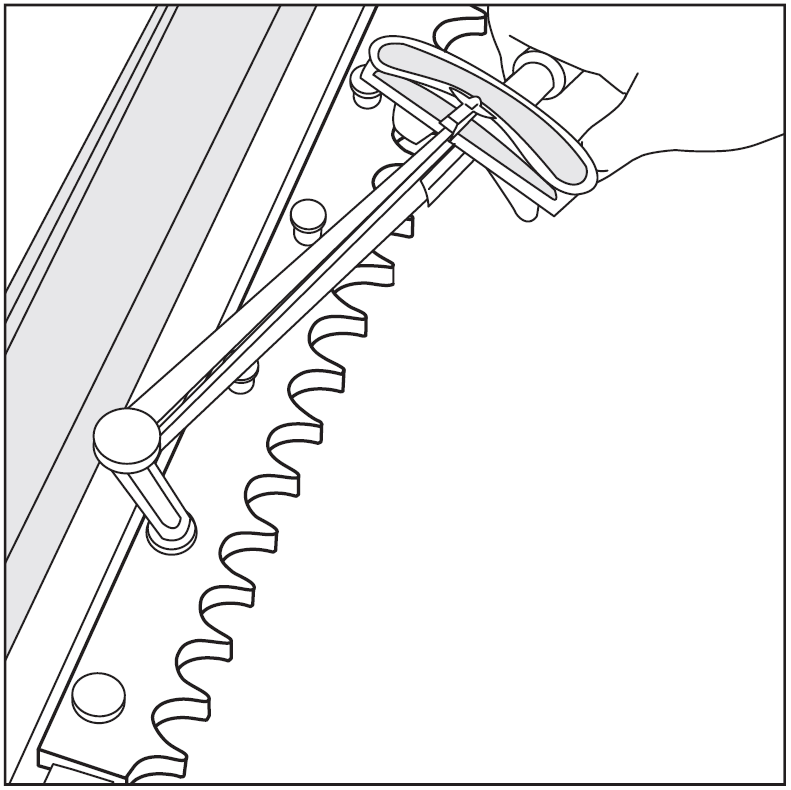
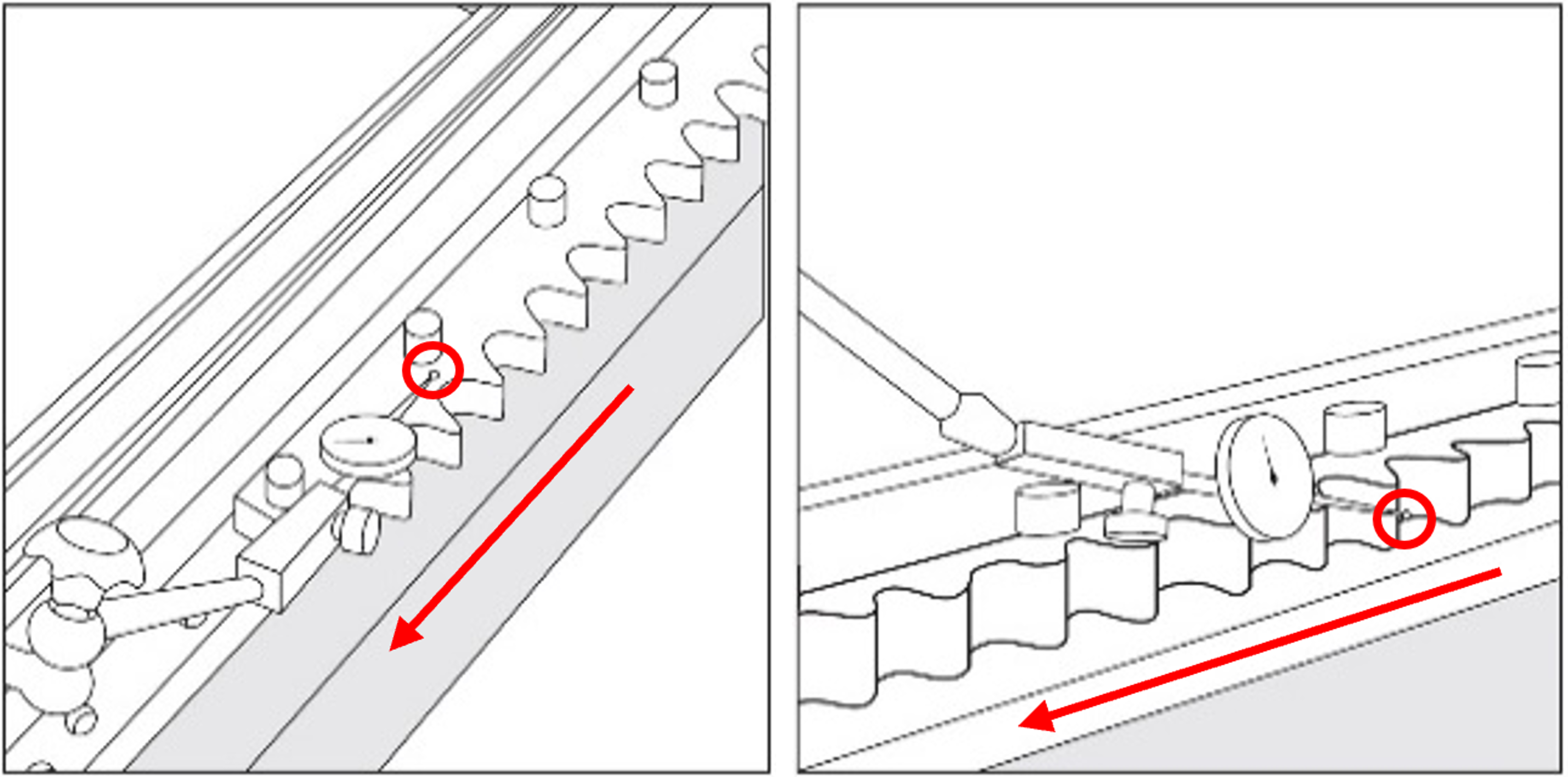
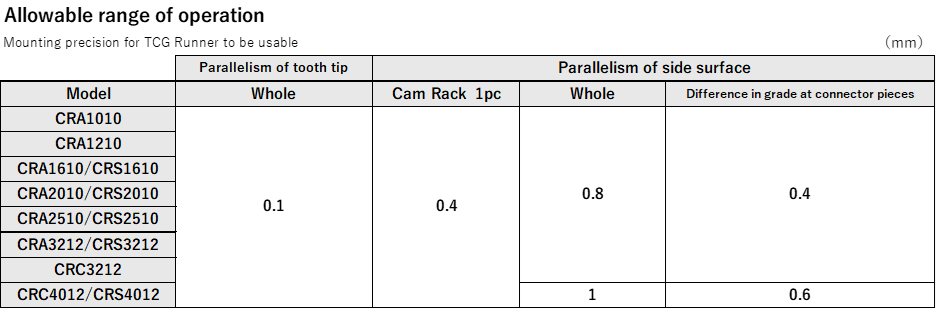
With respect to the travel axis of the guide block, place a dial gauge or similar measuring instrument on the tooth tip surface (or bottom surface) and the side surface of the cam rack.
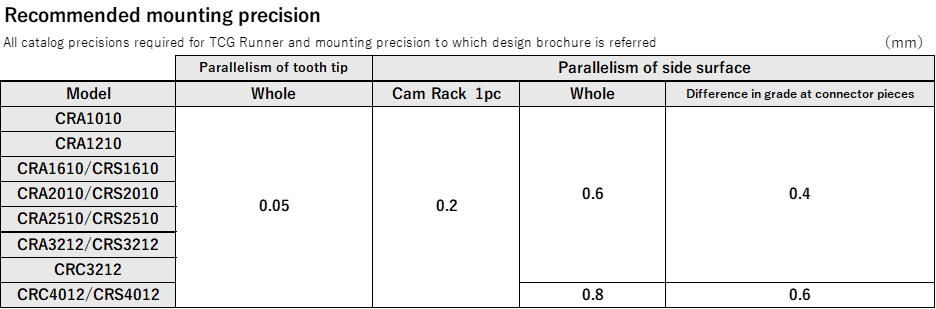
Check the variation in the tooth tip or side surface, and adjust the cam rack so that the value is within the specified rack mounting accuracy.
Please refer to the mounting accuracy table below for the specified values.
When adjusting the tooth height, use shims or clamps for fine adjustment.
4. Final Tightening of Mounting Bolts
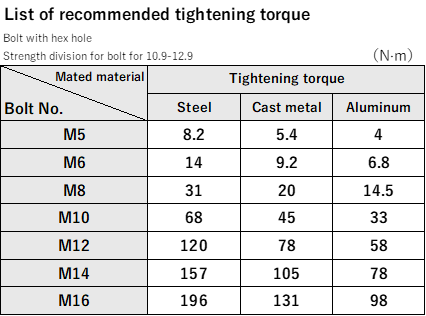
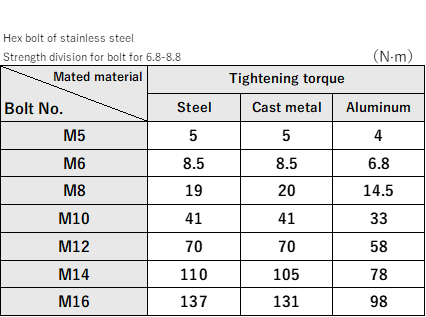
Finally tighten mounting bolt for Cam Rack with recommended tightening torque (refer to list of recommended tightening torque).
5. Splicing Procedures for Rack
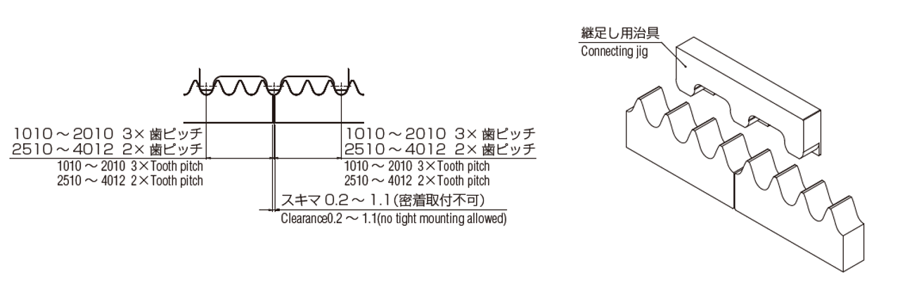
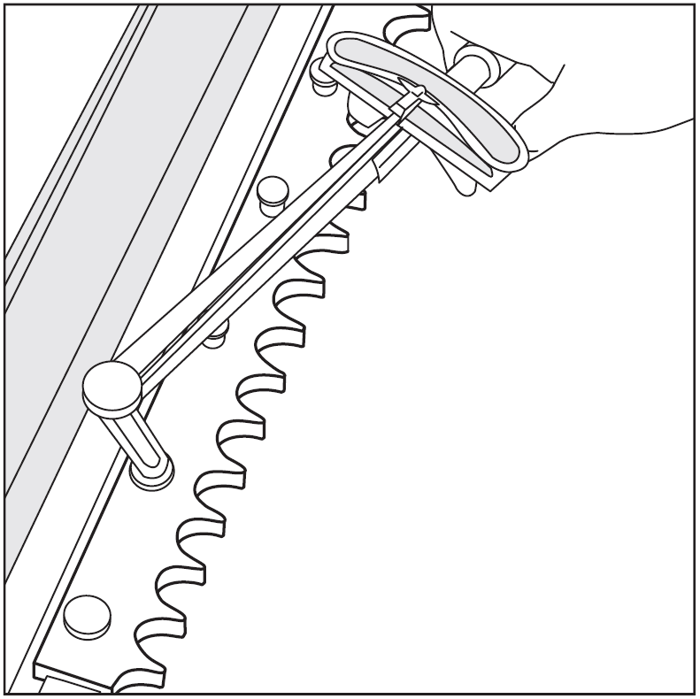
Use special connection jig when splicing Cam Rack
① Place the second cam rack on the base and align it with the end face of the first rack.
② Provisionally tighten mounting bolt for Cam Rack (with Cam Rack kept lightly shiftable).
③ Press the connection jig onto the joint area of the racks and hold it by hand or secure it with a clamp.
(Be careful to avoid tilting or misalignment of the jig.)
④ Set and adjust the second Cam Rack following the same procedure as for the first rack.
⑤ Remove the connection jig.
⑥ Press the connection jig onto the rack joint again by hand and confirm that there is no looseness or play.
(If there is looseness, the rack pitch or parallelism at the joint is not properly aligned.)
⑦ Set and splice third Cam Rack piece as done by second Cam Rack piece.